You put in both AirPods, press play, and only one ear fills with sound. The other is silent, or so faint you wonder if it’s broken. Learning how to fix one AirPod quiet or not working usually takes minutes, not a repair bill.
Quick answer: Nine times out of ten, a clogged mesh screen or a stale Bluetooth connection is the culprit. Clean the quiet AirPod’s speaker grille with a dry brush, then reset the pair and re-check the audio balance slider in your phone settings. If sound stays weak after all three steps, the internal speaker may be failing.
This guide walks through the causes, the exact cleaning and reset steps, the settings that quietly steal volume from one side, and the mistakes that make things worse.
What is fix one airpod quiet or not working?
The phrase describes a common hardware and software problem: one earbud plays at normal volume while its partner sounds muffled, faint, or completely dead. It affects AirPods, AirPods Pro, and most wireless earbuds that share a charging case. The fix is rarely a single action. Instead, it’s a short checklist that moves from the simplest cause to the most serious.
Sound leaves an AirPod through a tiny speaker covered by a fine mesh screen. Earwax, skin oil, dust, and lint collect on that screen and block the opening. The blockage can cut volume by half or more, and it often builds up without any visible sign. A dirty screen is the most frequent reason one side goes quiet.
Connections run a close second. Each earbud pairs with your phone separately, so one link can drop while the other stays solid. A partial pairing shows up as one silent bud, even though the battery is full and the other side works fine.
Settings cause their share of confusion too. Phones include an audio balance slider that shifts volume left or right. Accessibility features such as mono audio can also change how sound reaches each ear. A small nudge on that slider makes one AirPod sound broken when the hardware is perfect.
Finally, there is genuine hardware failure. The speaker driver, the internal microphone, or the battery in one bud can wear out. Damage from sweat, rain, or a drop can kill one side while the other keeps working for years.
It is worth separating these causes because each one responds to a different remedy. Dirt yields to a dry brush, pairing issues clear with a reset, and settings reset with a slider nudge. Hardware faults are the only category that requires service, which is why the checklist order matters so much.
Most "broken" AirPods are dirty, not dead. Cleaning the mesh screen resolves a large share of one-sided volume complaints before any repair is needed.
Key takeaway: treat the problem as a checklist, not a mystery. Rule out dirt, pairing, and settings before you assume the hardware has failed.
Why fix one airpod quiet or not working matters

One weak earbud changes how you hear everything. Stereo music collapses into a single channel, and podcasts sound distant on one side. You turn the volume up to compensate, which blasts the working ear and adds listening fatigue over a long day.
Safety matters too. Runners and cyclists rely on both ears to judge traffic, and a dead side creates a blind spot. Taking calls with one muffled bud also pushes you to hold the phone instead, which defeats the point of wireless audio.
The cost argument is just as practical. A single replacement AirPod often costs a meaningful fraction of a new pair, and out-of-warranty service is priced per bud. Cleaning and resetting cost nothing and take under ten minutes. Skipping those steps can send you toward a purchase you did not need.
Waiting carries its own risk. Earwax pressed deeper into the mesh hardens over time and becomes harder to remove. Moisture trapped behind a dirty screen can corrode the speaker over months. A quick fix early usually prevents a permanent one later.
There is also a resale and warranty angle. A pair with one quiet bud sells for far less than a fully working set. If your AirPods are still under warranty, documenting the problem early keeps your options open. Apple’s coverage generally requires that the issue is not caused by accidental damage or liquid contact, so acting before things worsen helps.
A quiet bud also disrupts features you may rely on daily. Spatial audio and head tracking depend on both channels working evenly, so one weak side flattens the effect and can make movies and games sound off-center. Noise cancellation suffers too, because the sealed, balanced fit it needs is compromised when one side underperforms.
Liquid damage and physical cracks are usually excluded from standard warranty coverage. Clean gently and never submerge an earbud in water or cleaning fluid.
Key takeaway: a quiet AirPod affects hearing comfort, safety, and your wallet. Ten minutes of troubleshooting protects all three.
Best practices
Work through these steps in order, from gentlest to most involved. Stop as soon as the volume returns to normal.
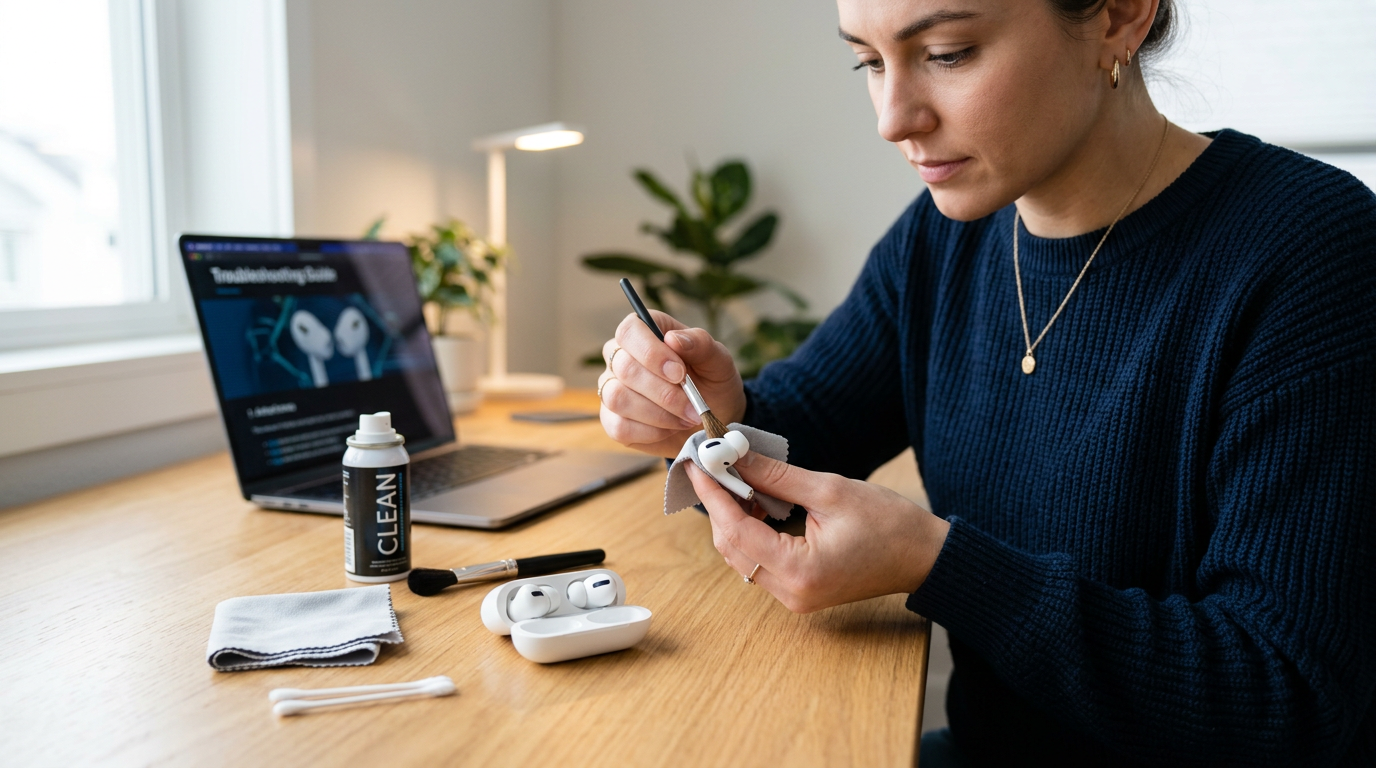
Clean the speaker mesh first. Hold the AirPod speaker facing down and brush the grille with a dry, soft-bristled brush. A clean, dry toothbrush works well. Wipe the surface with a dry microfiber cloth. For AirPods Pro, remove the silicone ear tip and rinse only the tip under running water, then let it dry fully before refitting.
Check the audio balance slider. On iPhone, open Settings, then Accessibility, then Audio & Visual, and confirm the balance sits in the center. On Android, look under Accessibility, then Hearing enhancements. A slider nudged even slightly toward one side makes the other bud sound broken.
Reset the connection. Forget the AirPods in your Bluetooth settings, place both buds in the case with the lid open, and hold the setup button until the status light flashes amber, then white. Pair again from scratch.
Test with another device. Connect the same AirPods to a second phone or a laptop. If one side stays quiet everywhere, the problem lives in the hardware or the mesh. If it sounds fine elsewhere, your original device’s settings are the cause.
Update the firmware. Apple pushes AirPod firmware automatically when the buds charge near a paired iPhone. Leaving them in the case on a charger overnight usually completes the update.
Clean the charging contacts. Wipe the metal contacts inside the case and at the base of each bud with a dry cotton swab. Poor contact can cause one side to behave oddly.
Never use alcohol, detergent, or a sharp pin on the speaker mesh. A pin pushes wax deeper, and harsh liquids strip the protective coating.
Key takeaway: cleaning, balance, reset, and a second-device test resolve most cases. Only move to repair once all four come up clean.
Common mistakes to avoid
The wrong fix often makes one quiet AirPod worse. These errors show up again and again.
Poking the mesh with sharp tools. Pins, needles, and paper clips push earwax through the screen and into the speaker chamber. Once wax reaches the driver, cleaning at home rarely helps. Use only a dry brush and a soft cloth.
Blaming the hardware too early. Many people order a replacement bud before checking the balance slider or resetting the pair. That order costs money for a problem a settings toggle could have solved.
Skipping the clean-dry cycle. Rinsing an ear tip and refitting it while still damp traps moisture against the speaker. Moisture is a leading cause of crackling and permanent volume loss.
Ignoring one-sided audio settings. Mono audio, hearing aid routing, and per-app volume controls can all favor one ear. If you recently enabled an accessibility feature, check it before anything else.
Turning volume to maximum to compensate. Blasting the working ear does not fix the quiet one, and it risks long-term hearing strain. Fix the cause instead of overriding it.
Skipping the second-device test. Without it, you cannot tell whether the fault is in the AirPods or your phone. That one test saves hours of pointless resetting.
Forgetting to check the ear tip fit. A loose or wrong-sized silicone tip on AirPods Pro lets sound leak out and can make one side seem quieter than the other. Swap in a different size and run the ear tip fit test in settings to confirm a proper seal before assuming the bud is faulty.
Testing in a noisy room. Background noise masks small volume differences, so a bud that is only slightly weak may seem fine. Test in a quiet space with a familiar track, and compare each side on its own by muting the other channel.
Disconnecting the AirPods for repairs with third-party tools usually voids the warranty. Confirm your coverage status before opening anything.
Key takeaway: gentle cleaning and careful diagnosis cost nothing. Impatience with sharp tools and early replacements is where money gets wasted.
FAQ
How long should cleaning and resetting take before I give up?
Give the full checklist one careful pass, roughly ten to fifteen minutes. If the volume is still weak after cleaning, a reset, and a second-device test, the problem is likely internal. At that point, contact support or book a service appointment.
Is it cheaper to replace one AirPod or the battery?
Replacing a single AirPod usually costs less than buying a new pair, though official pricing varies by model and region. A battery service is an option when the quiet side also drains fast. Compare both quotes against the price of a new set before deciding.
Can a quiet AirPod fix itself over time?
Rarely. Loose debris might shift, but hardened earwax and internal damage do not clear on their own. Firmware updates occasionally resolve odd glitches, so let the buds update overnight before assuming the worst.
Does water or sweat damage cause one-sided volume loss?
Yes. Moisture can corrode the speaker and reduce output on one side, and liquid damage typically falls outside standard warranty coverage. If the quiet bud was recently exposed to rain or heavy sweat, treat that as the likely cause.
Will resetting my AirPods delete my settings or audio files?
No. A reset clears the pairing between the buds and your devices, nothing else. Your music, apps, and phone settings stay untouched, and you simply pair the AirPods again afterward.
Conclusion
A quiet or silent AirPod is usually a dirty mesh screen, a dropped pairing, or a balance slider nudged off center. Clean the grille with a dry brush, confirm your audio balance, reset the pair, and test on a second device. Those four steps handle the vast majority of cases at zero cost. If sound stays weak after all of them, treat it as a hardware problem and get a quote before buying anything.
Start with the brush and the settings check today, then let the AirPods charge overnight so any firmware update can finish.